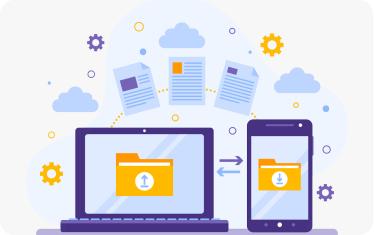
Device Enrolment & Provisioning
Device enrolment and provisioning simplify how organizations onboard and configure devices at scale. With zero-touch deployment, devices are automatically registered, authenticated, and configured with predefined settings right out of the box. IT teams can standardize configurations, install required applications, and apply security controls without manual intervention. This not only accelerates deployment but also ensures consistency across devices. Whether corporate-owned or BYOD, every device is securely integrated into the enterprise ecosystem from day one, reducing setup time and minimizing configuration errors. Tailored for government-employee devices and field staff operating in low-connectivity environments.

Policy Enforcement
Policy enforcement ensures that every device adheres to the organization’s security and usage standards. IT administrators can define rules around passwords, encryption, access controls, and acceptable usage, applying them uniformly across both corporate and personal devices. These policies are enforced in real time, ensuring compliance and reducing risk exposure.
Automated updates allow policies to evolve with emerging threats and regulatory requirements. This centralized control helps maintain a strong security posture while enabling employees to work flexibly without compromising enterprise data integrity.

Application Management
Application management provides complete control over the apps installed and used on enterprise devices. Organizations can whitelist approved applications, restrict unauthorized downloads, and manage updates remotely. This ensures that only secure and business-relevant apps are accessible, reducing the risk of malware or data leakage. IT teams can also push critical updates and patches to maintain app performance and security. By governing app usage and permissions, organizations can create a secure mobile environment while maintaining productivity and a seamless user experience.
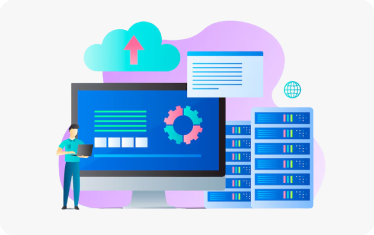
Real-Time Monitoring
Real-time monitoring offers continuous visibility into device activity, health, and compliance status through a centralized dashboard. Organizations can track usage patterns, device location, and security posture, enabling proactive risk management. Automated alerts notify IT teams of suspicious activity, policy violations, or potential threats, allowing immediate action. This constant oversight helps identify vulnerabilities early and ensures devices remain compliant with organizational policies. Real-time insights empower decision-makers to maintain operational control while safeguarding enterprise data across distributed environments.
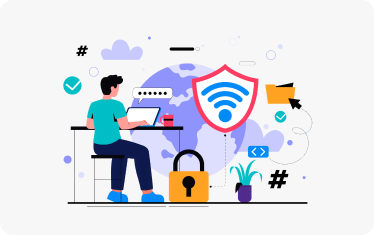
Remote Security Actions
Remote security actions enable organizations to respond instantly to potential threats or device-related risks. In case of device loss, theft, or compromise, IT teams can remotely lock, locate, or wipe devices to prevent unauthorized access to sensitive data. These actions can be triggered in real time, minimizing the risk of data breaches. This capability is especially critical for distributed workforces, ensuring that security is maintained regardless of device location. It provides a robust safety net, protecting enterprise data even in high-risk scenarios.
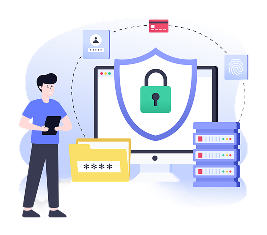
Data Protection & Encryption
Data protection and encryption safeguard sensitive information across all mobile devices. By encrypting data both at rest and in transit, organizations ensure that critical information—such as citizen records, financial data, or internal communications—remains secure from unauthorized access. Secure containerization further isolates corporate data from personal content on BYOD devices, reducing leakage risks. This layered approach to security strengthens data integrity and confidentiality, helping organizations meet compliance requirements while enabling safe and seamless mobile operations.

Compliance & Audit Reporting
Compliance and audit reporting provide organizations with the tools to meet regulatory and governance requirements effectively. Automated reports track device activity, policy adherence, and security incidents, ensuring transparency and accountability. Detailed audit logs capture every action, from policy changes to remote device wipes, supporting internal reviews and external audits. This capability is crucial for adhering to data protection regulations such as DPDP and other security standards. By simplifying compliance management, organizations can reduce risk, avoid penalties, and build trust with stakeholders.
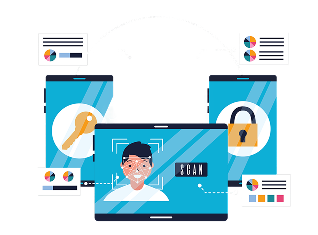
Conditional Access & Identity Integration
Conditional access and identity integration ensure that only authorized users and secure devices can access enterprise systems. By integrating with identity providers such as single sign-on and government ID systems, organizations can enforce strict access controls based on device compliance, user credentials, and security posture. This ensures that only enrolled, updated, and policy-compliant devices gain access to critical applications and data. Such approach strengthens security while providing a seamless user experience, balancing accessibility with robust protection against unauthorized access.

Offline Mode & Resilient Operations
Offline mode and resilient operations ensure uninterrupted productivity even in low or no connectivity environments. Field staff can continue accessing essential applications and data locally, with updates syncing automatically once connectivity is restored. Policies can be enforced with delayed synchronization, maintaining security without disrupting operations.
This capability is particularly valuable for sectors like healthcare, public services, and field operations where connectivity may be inconsistent. It ensures continuity, reliability, and efficiency, enabling organizations to operate seamlessly across diverse environments.
